Product design, Data visualisation, UX
How to Design Data-Heavy Products: Lessons From GTAI's Economic Data Platform
Static PDFs to dynamic intelligence: what designing an economic data platform for Germany Trade & Invest taught me about data UX.
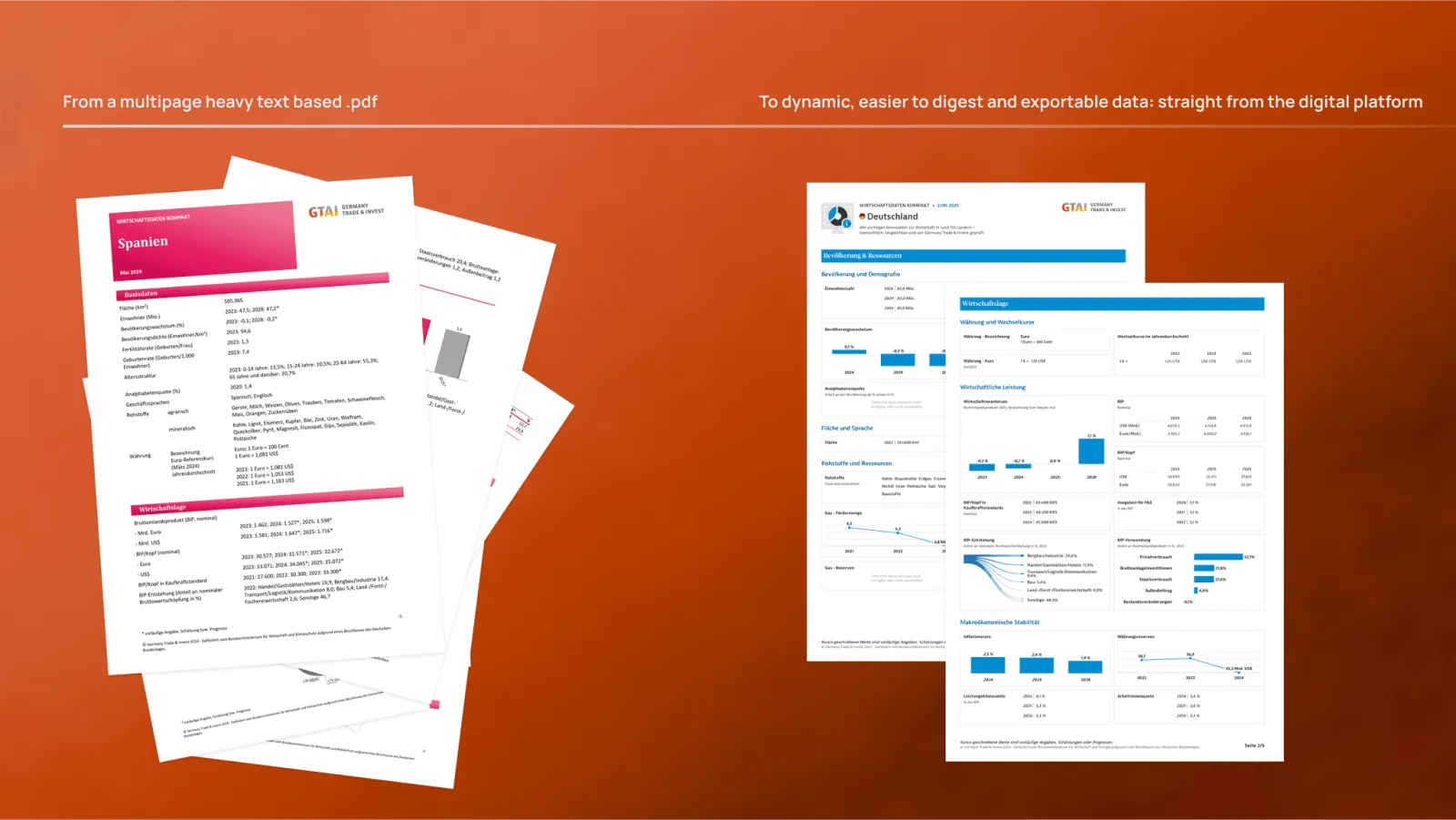
With 23degrees, I designed the new GTAI Wirtschaftsdaten Kompakt, the economic data service of Germany Trade & Invest. The goal: turn static PDF reports into an interactive platform that makes data for more than 150 countries easy to explore, compare and act on. Here's what that project taught me about designing data-heavy products.
1. Start from the decision, not the dataset
Data products fail when they mirror the database. Investors, policymakers and researchers don't want all the data; they want to answer a question — is this market growing? how does it compare? Map the top questions first, then decide which indicators, views and defaults answer them fastest.
2. Comparison is the killer feature
What once meant scanning page after page of PDFs is now side-by-side comparison. If people can compare, they can decide. Design comparison early: consistent units and scales, aligned charts and a clear way to add or remove items.
3. Choose the chart for the job
GTAI uses more than 10 tailored visualisation types. Each answers a different kind of question — trend, ranking, composition, distribution. Resist decorative charts; every chart should make one comparison obvious.
4. Make sources visible
Credibility is a design feature. The platform integrates data from more than 26 global sources, and source validation modals let users check where each figure comes from. Trust in the data is trust in the brand.
5. Build a system, not screens
A data platform grows with every new indicator. We created a design system with more than 50 components and a responsive framework so new data fits without redesigning. See design systems that scale for how I approach it.
6. Plan exports and hand-off
Analysts take data elsewhere. Export functions are part of the experience, not an afterthought. And detailed specifications for developers are what make an on-time launch possible.
7. Mobile-first still applies
Even dense data needs to work on a phone. Prioritise the key indicator, let users drill down, and keep interactions touch-friendly.
The result
Insights became faster, clearer and instantly actionable, and analysis that used to take hours now takes minutes. If you're designing a data platform or dashboard, let's talk.
FAQ
How do you design a good data dashboard?
Start from the decisions users need to make, show the few indicators that answer them, make comparison easy, choose charts by question type and make data sources visible.
What is the most important feature of a data product?
Comparison. Letting users put countries, periods or items side by side with consistent scales turns data into decisions.
What did Lander Zaro design for GTAI?
With 23degrees, he designed the product experience and design system of GTAI Wirtschaftsdaten Kompakt: an interactive platform with data for 150+ countries, 50+ components and 10+ visualisation types.
Keep reading
Designing AI Features Users Trust: 7 UX Patterns
Seven UX patterns for AI features, assistants and agents people trust: explained outputs, visible confidence, human control and graceful fallbacks.

The Role of Product Design: A Digital Swiss Knife
What a product designer does, how it differs from industrial design, and how to choose the right designer for your team — by product designer Lander Zaro.
AI in the Product Design Process: Where It Helps and Where It Doesn't
How AI fits each phase of product design — discovery, alignment and execution — where it saves time, where it adds risk, and how to use it without losing judgement.